Introduction
Living in a small room doesn’t mean settling for a weak gaming setup. With smart furniture choices, cable management, and strategic lighting, you can create a gaming space that rivals setups in rooms three times the size. Here are 15 ideas from budget-friendly to premium that maximize every square foot.
Layout Fundamentals: Start With Positioning
Before buying gear, decide your layout. Three positions work best for small rooms:
Corner placement: Uses dead space efficiently. Corner desks give you maximum surface area without pushing into the room.
Wall-hugging single desk: A standard desk against a wall keeps the room open. Best for very small rooms.
Floating/Murphy desk: Folds flat when not in use. Perfect for studio apartments or shared rooms.
15 Gaming Setup Ideas for Small Rooms
1. The Corner Throne
L-shaped or corner desk + ultrawide monitor. One monitor covers the full field of view without needing multiple screens. Frees both sides for speakers or accessories.
2. Wall-Mounted Monitor Setup
Mount your monitor on the wall with a VESA arm. Eliminates the monitor stand entirely, instant desk space. Pair with a keyboard tray underneath.
3. The Floating Shelf Rig
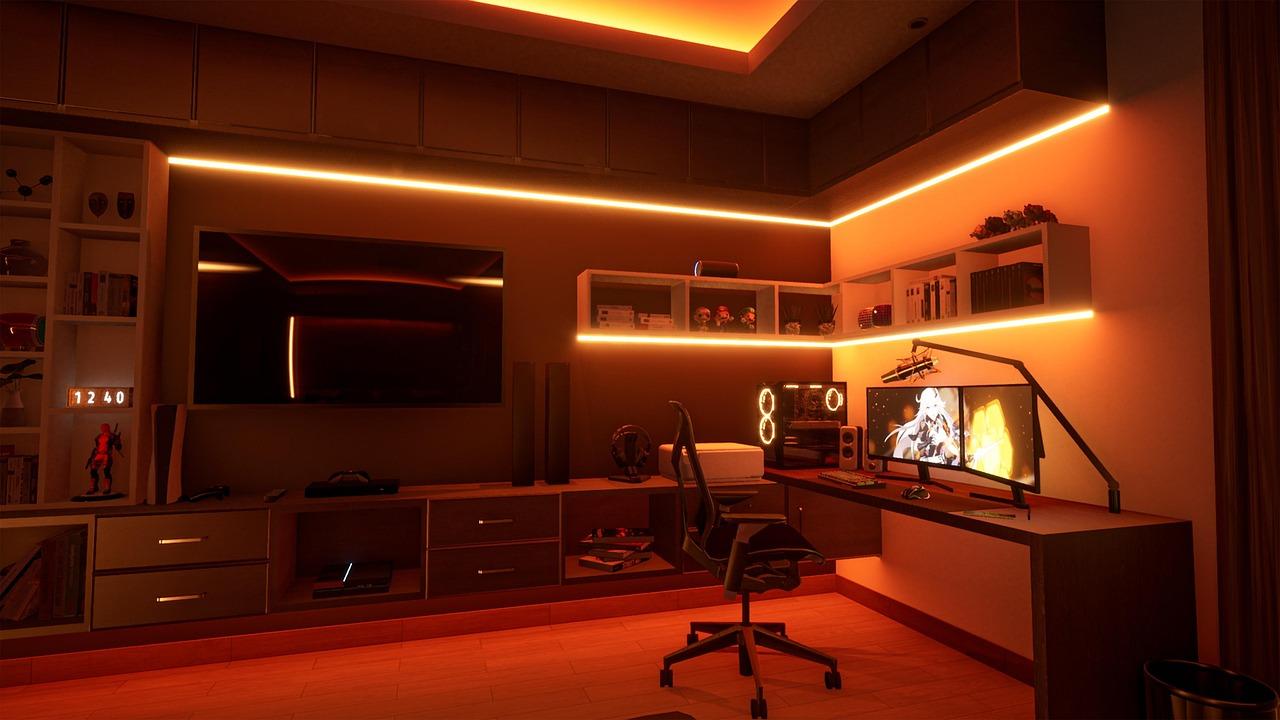
Wall-mounted shelves hold your PC, consoles, and accessories. Keeps everything off the desk. Works especially well for console gamers.
4. The Under-Stair Nook
If you have stairs, the space beneath them is often wasted. A custom corner desk fits perfectly and feels like a dedicated gaming room.
5. The Closet Conversion
Remove closet doors, add a desk, and you have an instant “office” that hides away. Close it off when guests arrive.
6. Vertical Monitor Stack
Two monitors — one horizontal, one vertical — use height instead of width. Ideal for checking Discord, streams, or guides while gaming.
7. The Minimalist One-Monitor Build
One 27″ 4K or 32″ ultrawide. No clutter, no cable mess. Minimalism is a real aesthetic choice that works for small spaces.
8. RGB Bias Lighting
Nanoleaf panels or LED strips behind your monitor make the room feel larger and more dynamic. A small room with great lighting always looks bigger on camera.
9. Under-Desk PC Mounting
Mount your PC tower under the desk using a side-mount bracket. Frees the entire desk surface for peripherals.
10. The Pegboard Wall
A pegboard above or beside the desk holds headsets, controllers, cables, and small accessories. Keeps the desk completely clear.
11. Wireless Everything
Go wireless: keyboard, mouse, headset, controller. Eliminates cable clutter instantly. Makes a small setup look intentional and clean.
12. The Bookcase Backdrop
A bookcase directly behind your chair isn’t just storage, it’s a backdrop for streaming and video calls that makes small rooms look professional.
13. Desk-Side Console Cart
A small rolling cart beside the desk holds your console, controllers, and games. Rolls away when needed.
14. The Dual-Purpose Desk
A gaming desk that works as a study desk too. Use monitor arm positioning to switch from gaming to work mode quickly.
15. Acoustic Panels + RGB = Pro Studio Vibe
Foam acoustic panels painted in your color scheme serve dual purpose: sound dampening AND aesthetic backdrop. Premium look, practical function.
Conclusion
A small room is a design challenge, not a limitation. The setups that look best are usually not the largest they’re the most intentional. Pick one layout, invest in cable management, add bias lighting, and your small room gaming setup will look better than most large ones.